
Customer service
Handle email, tickets, templates, tags and order context in a single view.

One platform
Lenbird is built for e-commerce teams that want to work faster with less manual jumping between inboxes, WooCommerce, spreadsheets and chat tools.
Everything in Lenbird
A CRM system with support for customer service, order management, social channels, analytics and internal collaboration — connected to the right store.
Handle email, tickets, templates, tags and order context in a single view.
Collect conversations from social channels and work from one shared inbox.
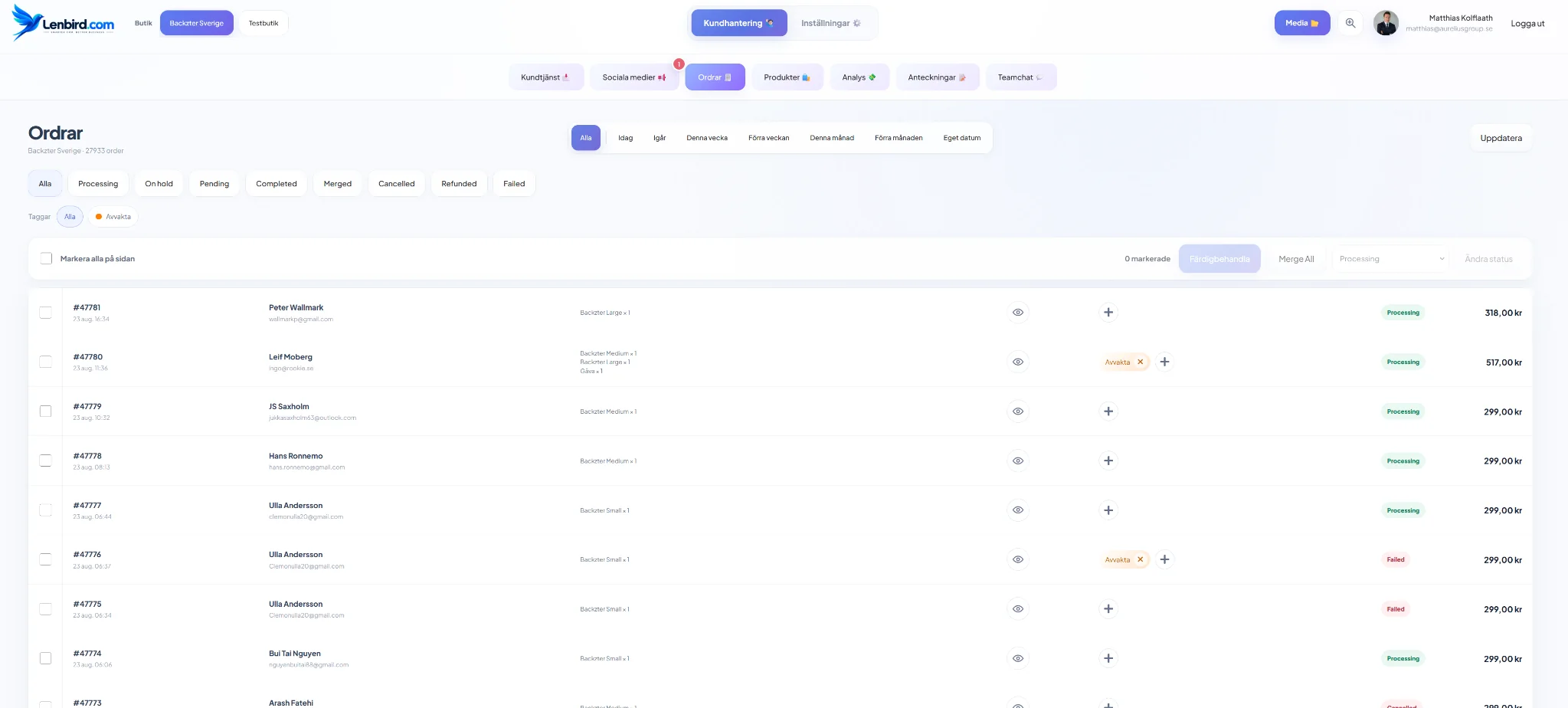
View, filter and work with WooCommerce orders without leaving Lenbird.
Product overview, sales and cost data for faster operational decisions.
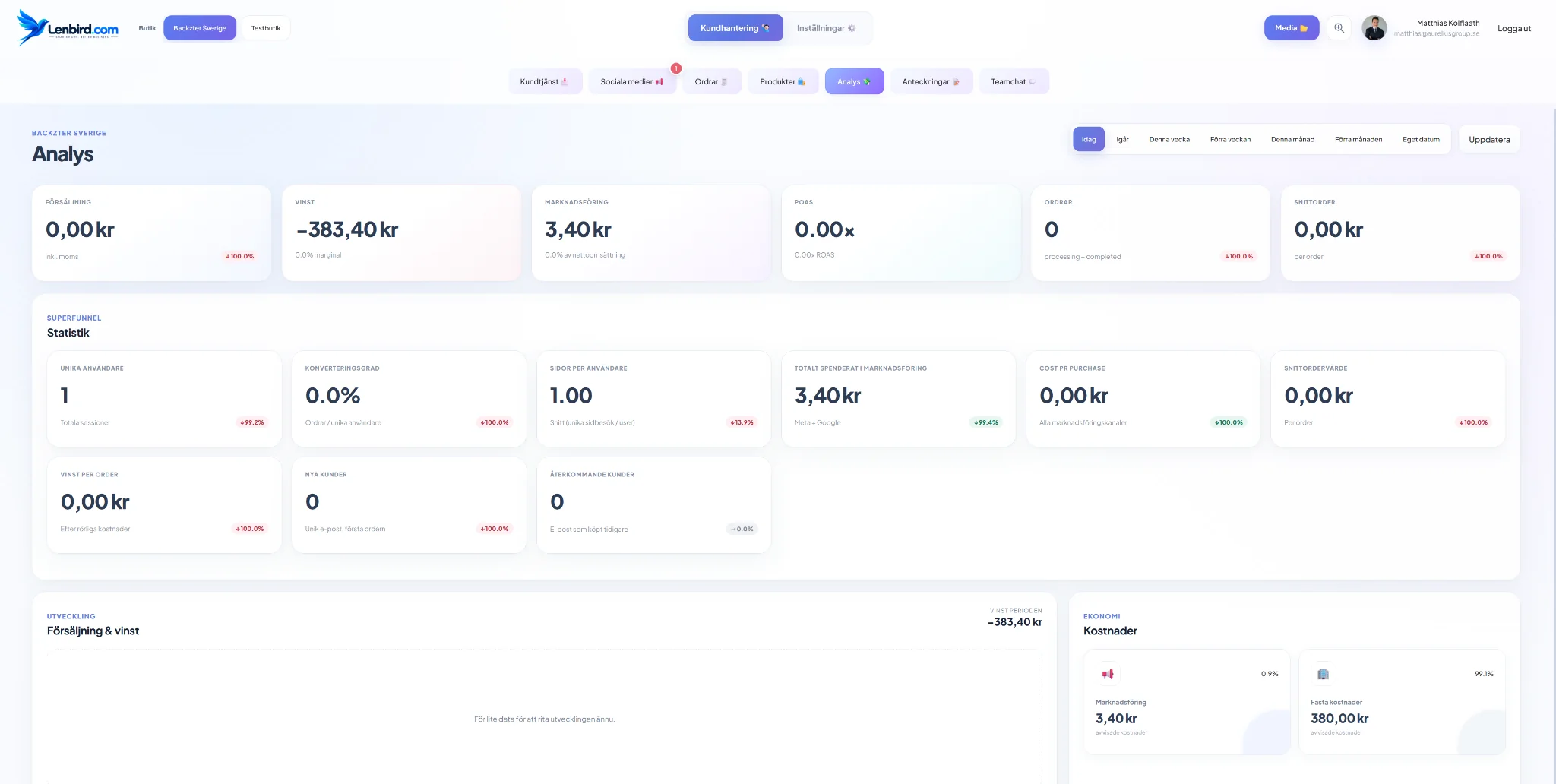
Track sales, profit, marketing, ROAS, average order value and customer data.
Keep internal information and store-specific notes where the team works.
Global direct messages and groups tied to the right store and the right members.
A store-specific media library with shared storage capacity at account level.
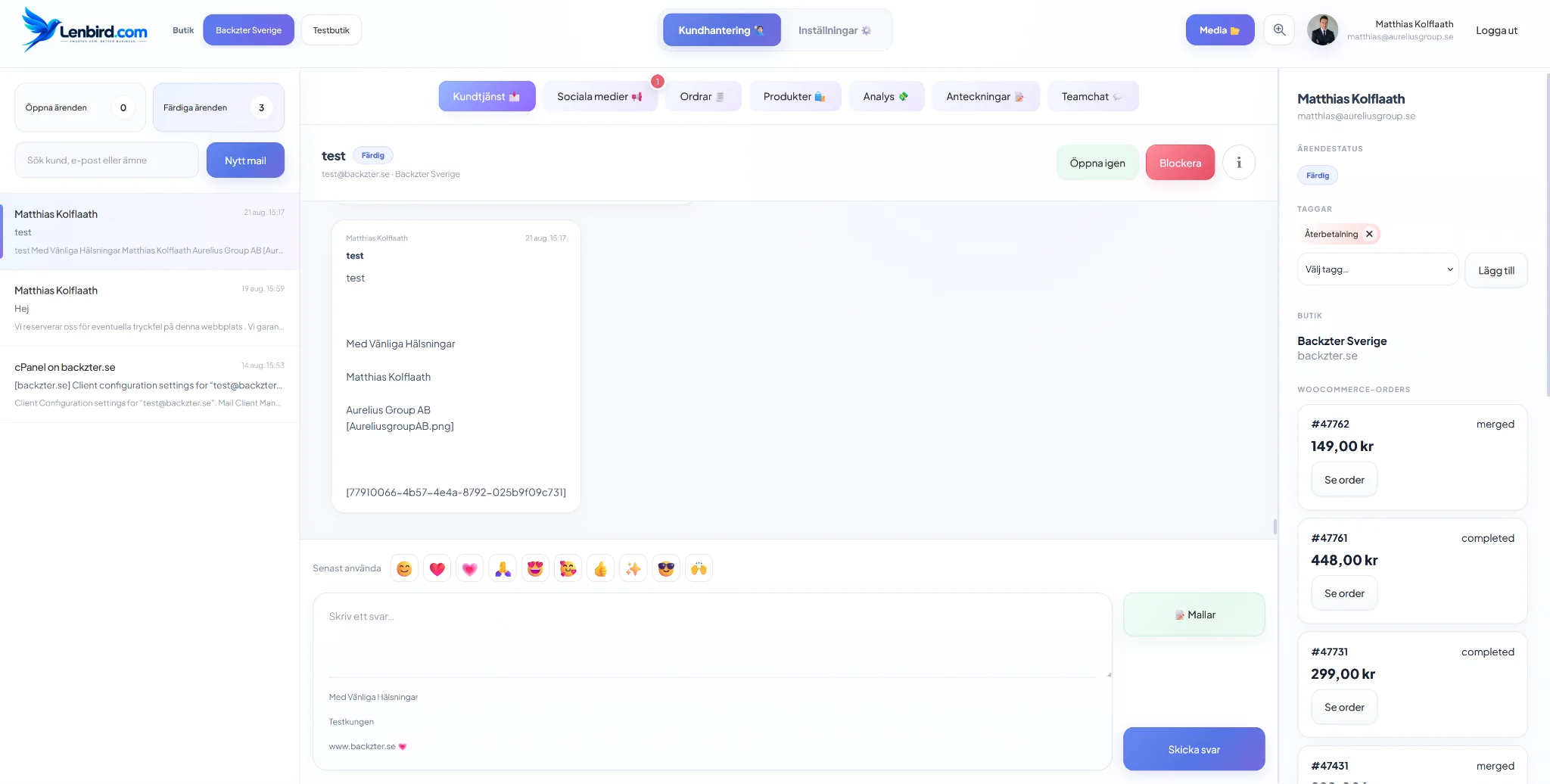
Customer service + commerce
Open the ticket and see the connected store and relevant WooCommerce orders right next to the conversation. Fewer tabs, faster replies and better context.
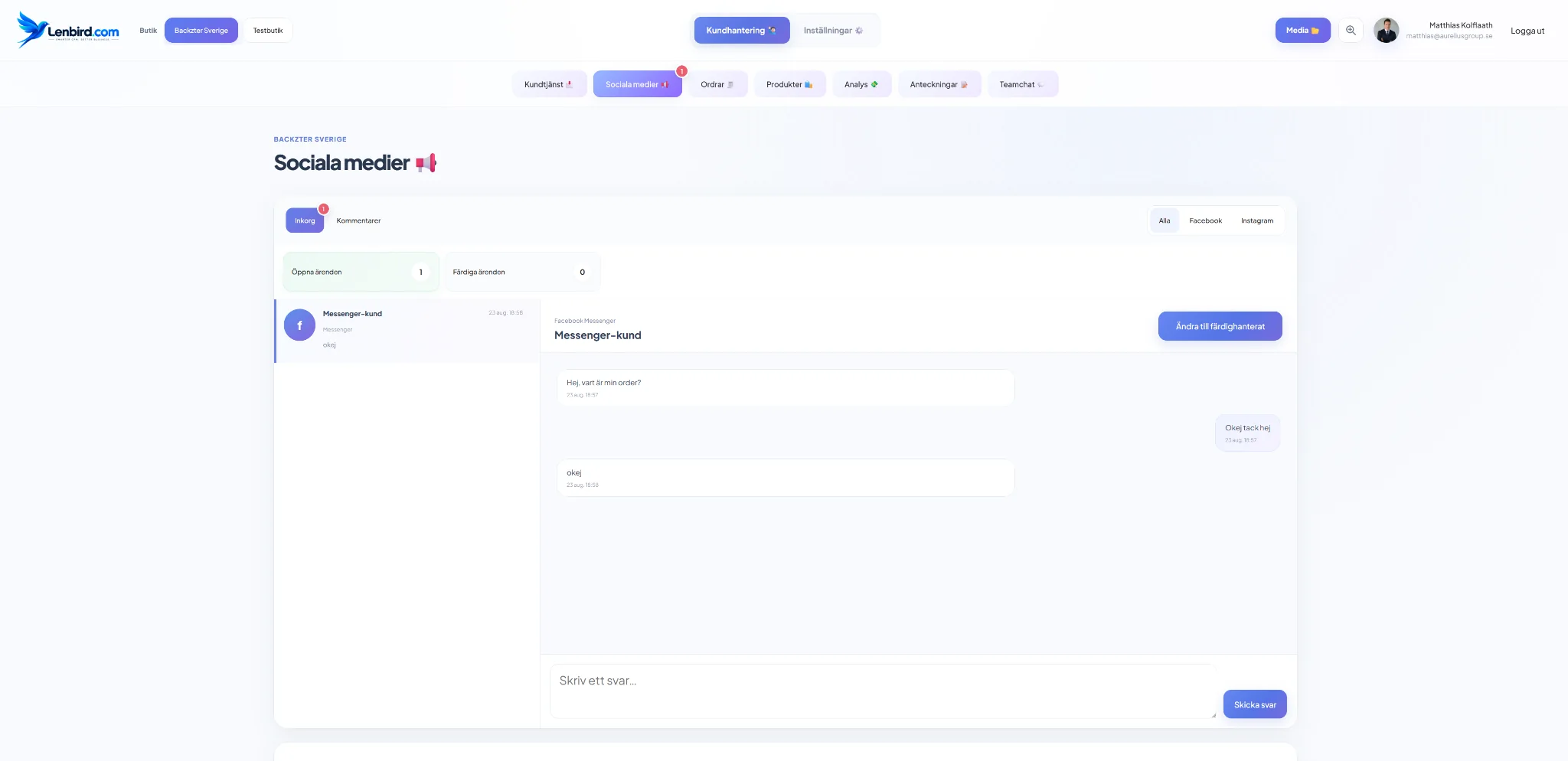
Same interface, more workflows
From Instagram and Messenger conversations to order status, product top lists and profitability analysis.
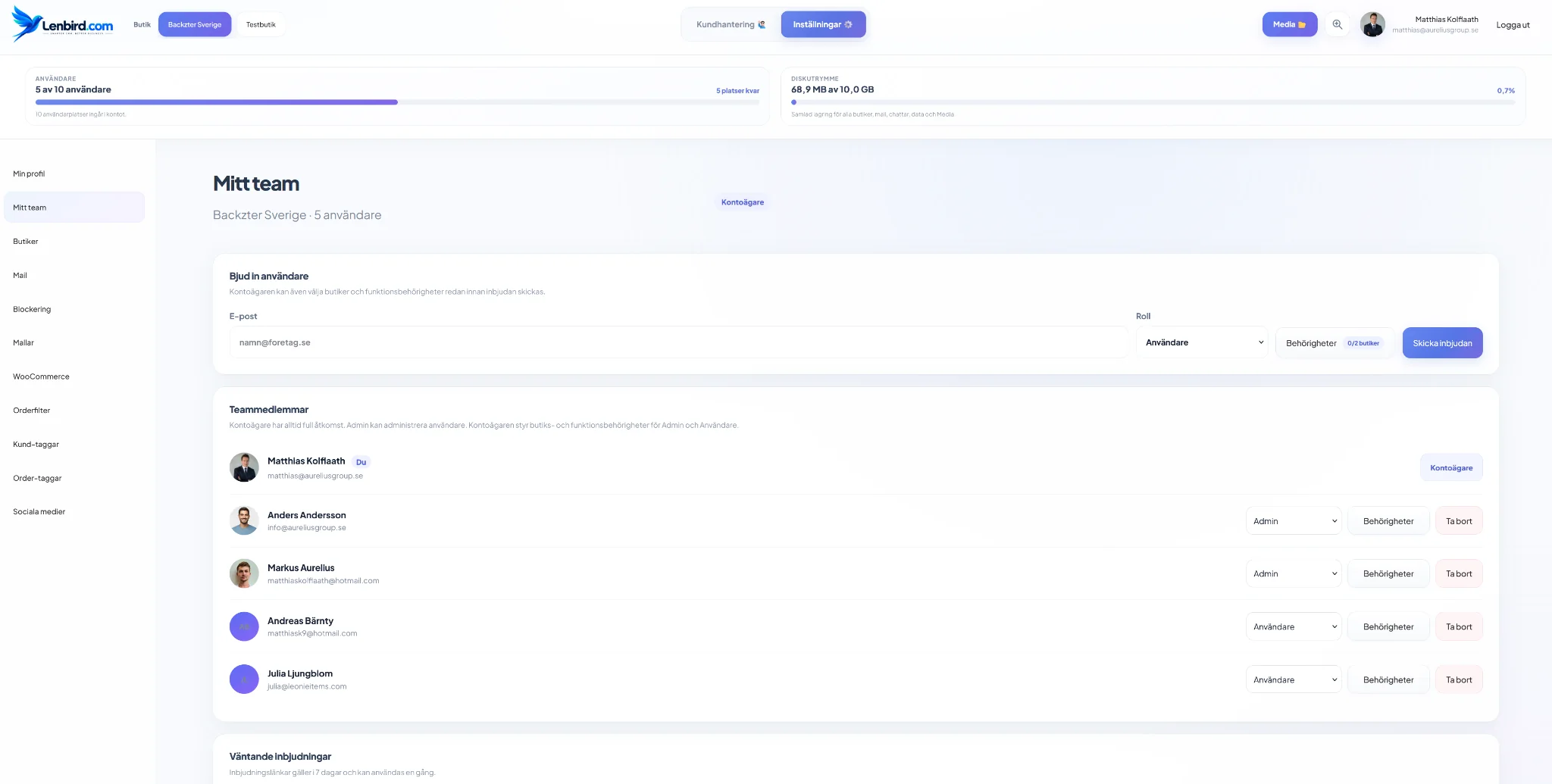
Multi-store & permissions
The account owner controls which Admins and Users get access to each store — and exactly which features they can use there.
A clearer workflow
Email, social conversations, orders and product data arrive in the same environment.
See the customer's context, store, order history and relevant internal information.
Reply, update orders, coordinate with the team and use the right templates.
Track sales, profitability, marketing and customer behaviour over time.
FAQ
Lenbird is a web-based CRM and workspace for e-commerce that brings together customer service, WooCommerce, social media, orders, products, analytics, team chat and media.
Yes. Lenbird is built to connect WooCommerce stores to customer service, order management, product overview and analytics so the team can work from one shared platform.
Yes. Each store has its own relevant content and its own permissions, while users and total storage capacity are managed at account level.
Yes. The account owner can give Admins and Users access to specific stores and control which features they can use in each store.